Role: UX/UI Designer
Skills & Tools:
Figma: Research, Wireframing and Prototyping
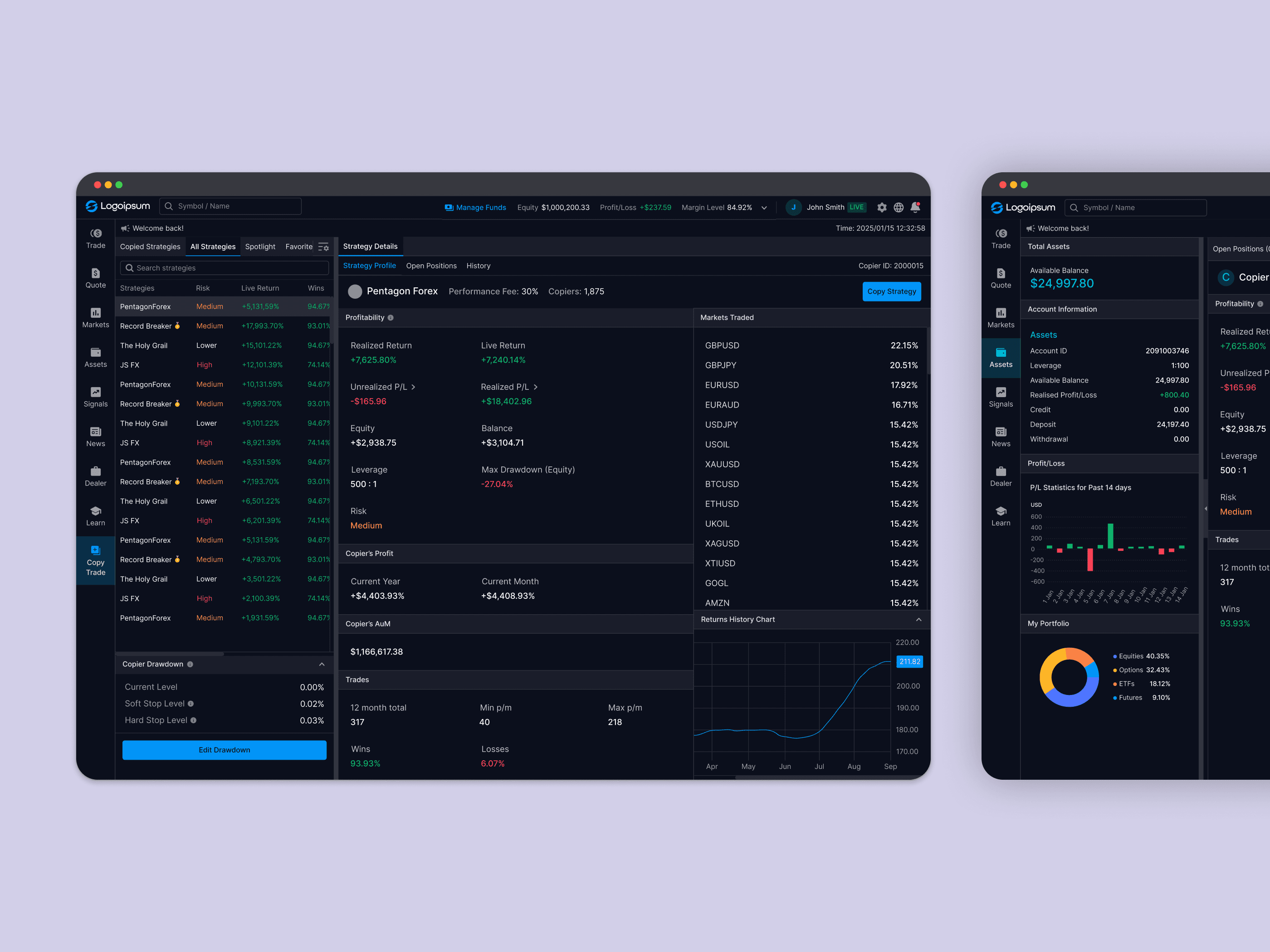
Integrate copy trading: Integrate the feature to fit the look and feel of our product, ensuring minimal disruptions to existing flows.
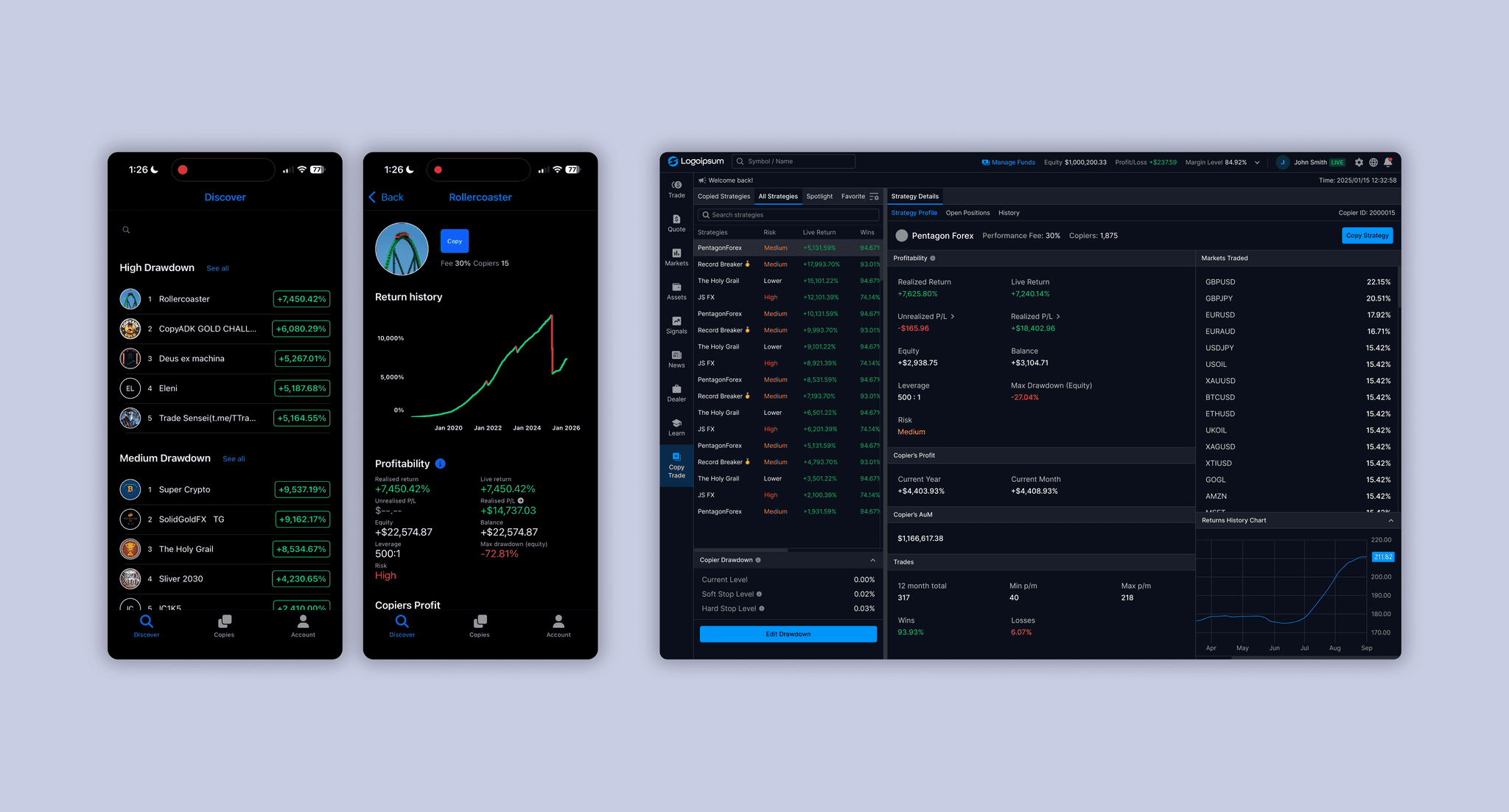
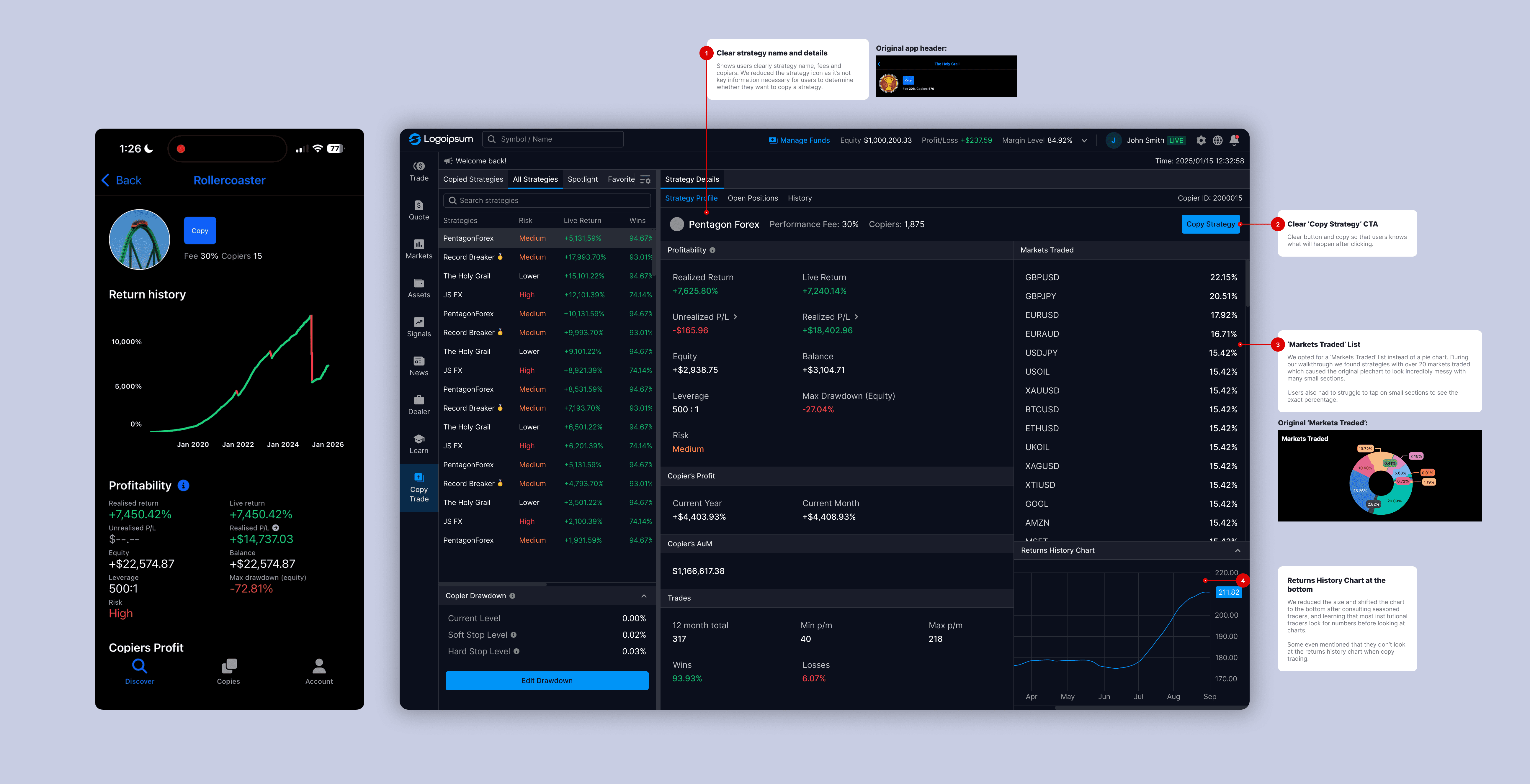
Adapt the experience for desktop: The original service is geared towards mobile and tablet users, so we had to adapt it for web.
Address discovered UX pain points: Other than updating the UI, we also wanted to improve the information clarity and visual feedback so users have a smoother experience especially when they are performing important functions.
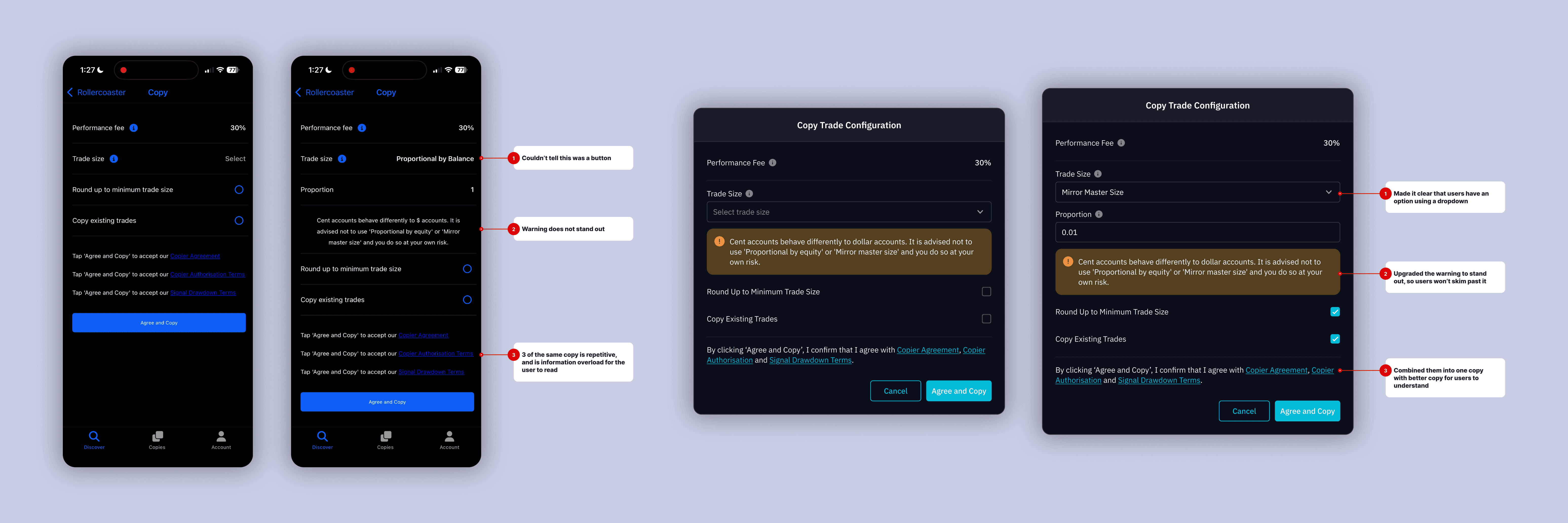
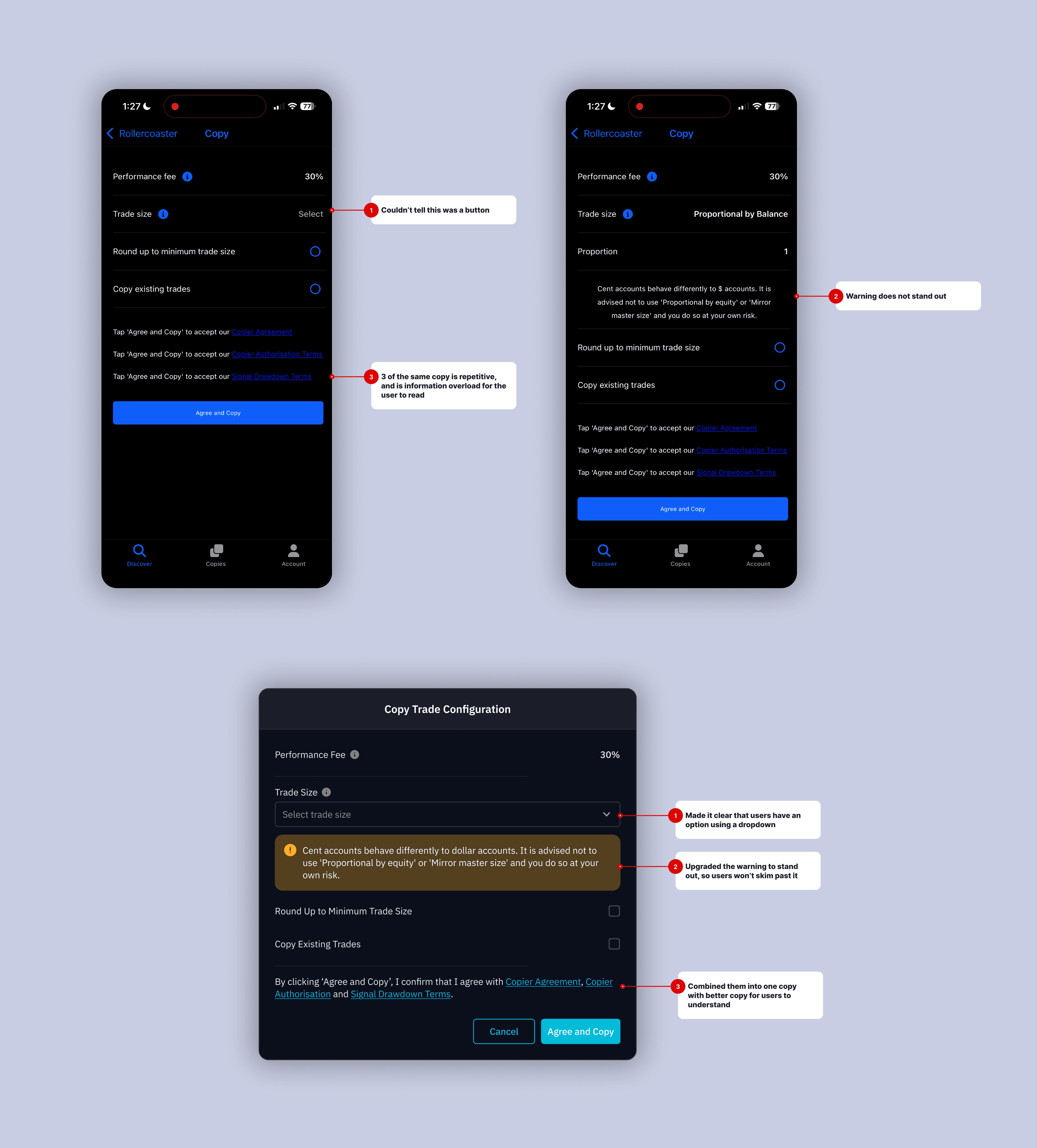
We took some time to walkthrough the existing feature to ensure we did not miss out any functions when implementing it. While reviewing the copy trading feature in preparation for implementing it, several pain points became apparent:
Unclear Call To Actions: Actions such as enabling copy trading or closing actions did not seem clickabled, or were not well labeled.
Inconsistent UI: The UI did not match our current product, and it needed a redesign for users to have a seamless transition from our main product to this new feature.
Limited Desktop Optimization: The original service used layouts better suited for smaller screen experience and did not fully utilize desktop space.
Researching and Validating Points
To confirm proposed changes were aligned with user needs we:
Did a full walkthrough of the copy trading to map friction points across the user journey.
Seeked internal feedback from colleagues and stakeholders with institutional trading experience in order to obtain professional advice and validation.
Researched on similar products with number heavy information to seek the best layout and information hierarchy.
Proposed Changes
3. Desktop-Optimized Layout
Redesigned the layout using a modular system to better utilize screen real estate.
Separated monitoring, decision-making, and action areas to reduce visual clutter.
Aligned UI components with our platform’s existing design system for consistency.
Results
Improved Decision Clarity: Reorganising trading information made key details easier to scan, helping users understand copy strategy performance at a glance.
Greater User Confidence: Clear call-to-actions reduced uncertainty around actions, allowing users to interact and make decisions with more confidence.
Consistent Platform Experience: Aligning the integrated feature with existing UI library created a seamless experience, even when using a third-party service.
Future-Proofing Design: The consistent and improved UI and UX allows for a easier time to implement the 'Strategy Provider' functions in the future.
Third-Party Integration Goes Beyond Implementation: Integrating external services is not just about enabling functionality. We can take the opportunity to identify UX gaps and improve the overall experience for users.
Information Clarity Is Critical: Clear Call-To-Actions and proper information hierarchy can enable users to confidently performing actions.
Adding Value Beyond The Basic Scope: Identifying and solving adjacent problems strengthens the product experience.